
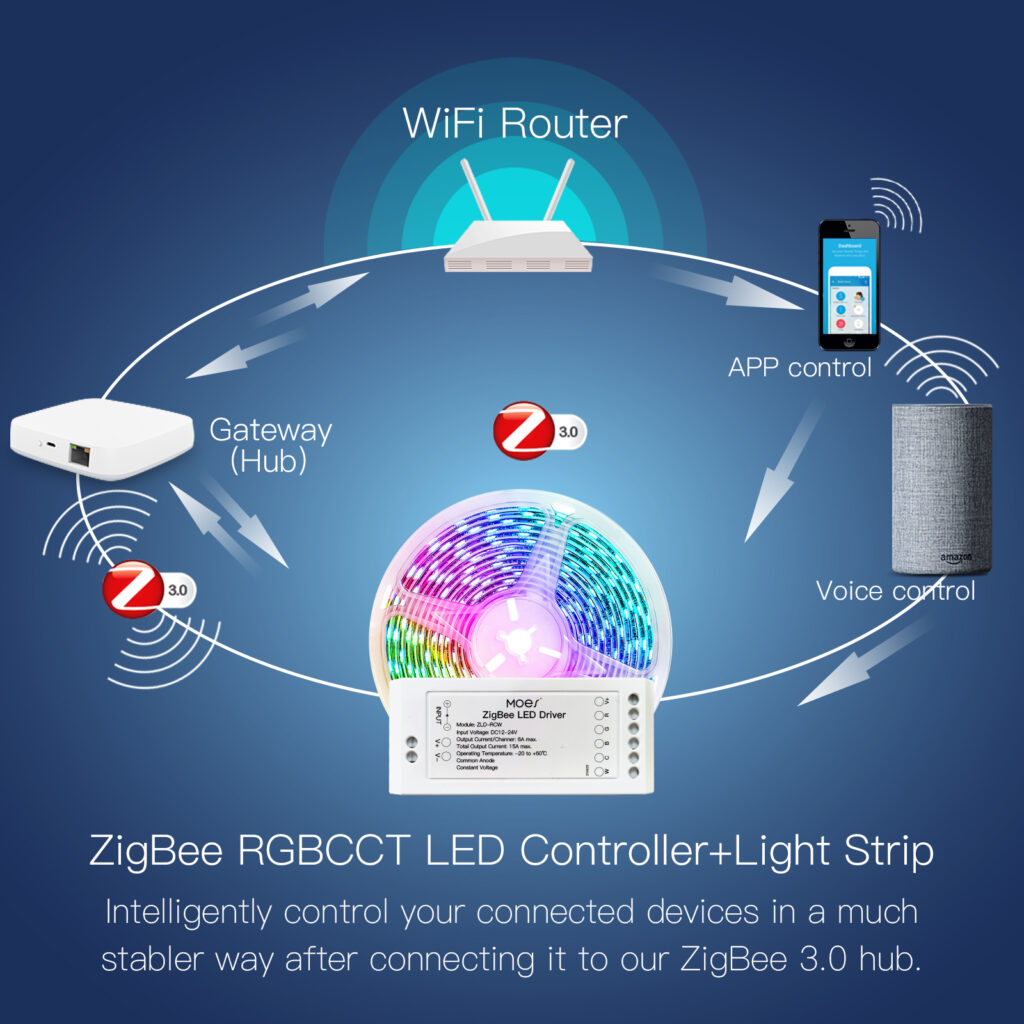
Smart home products work best when the home network is planned properly. Cameras, smart plugs, sensors, bulbs, sirens, gateways and app-controlled devices all depend on stable connectivity. This guide explains how AfriSmartHome customers can prepare a practical network for Tuya, Smart Life, Zigbee, Bluetooth and Wi-Fi devices.
Start with the role of each wireless technology
Wi-Fi is ideal for devices that need more data, such as cameras, video doorbells and some smart plugs. Zigbee is useful for low-power sensors, switches and bulbs because devices can respond quickly without loading the Wi-Fi router. Bluetooth is mainly useful for setup, nearby control or devices that do not need constant cloud connection.
A good smart home does not force every device onto Wi-Fi. It uses the right connection method for each product. A Tuya-compatible Zigbee or Bluetooth gateway can reduce pressure on the router and help many small devices respond more reliably.
Place the router and gateway carefully
Keep the main router in an open position, away from thick walls, metal cabinets and large appliances. If the house has multiple floors or long rooms, consider adding a mesh Wi-Fi point or stronger router before installing many connected devices.
Place the Zigbee gateway near the center of the smart device area. For larger homes, add powered Zigbee devices such as bulbs, plugs or switches in useful positions because many Zigbee products can help extend the network for nearby sensors.
Use separate names for 2.4 GHz and 5 GHz when setup is difficult
Many smart home devices connect only on 2.4 GHz Wi-Fi. If setup fails, check whether the router combines 2.4 GHz and 5 GHz under one network name. Temporarily separating the names can make pairing easier. After setup, some routers can be combined again, but a clear 2.4 GHz option is often simpler for installers and customers.
Plan for cameras and security devices
Cameras need more bandwidth and stronger signal than sensors or lights. Install them where signal strength is reliable, especially for outdoor areas. If a camera must cover a gate, shop entrance or compound wall, test the connection before final mounting. For important security points, AfriSmartHome recommends checking power supply, Wi-Fi strength and storage settings together.
Use the Smart Life or Tuya app consistently
Most AfriSmartHome automation products are designed around Tuya-compatible control. Choose one main app for the household where possible, then organize devices by room and purpose. Clear naming matters: use names like “Front Gate Camera”, “Living Room Plug” or “Shop Entrance Siren” so family members and support teams can understand the setup quickly.
When to ask for support
Ask for support before buying if you need to cover a large house, outdoor space, shop, apartment block or office. The right plan may include a gateway, stronger router placement, Wi-Fi extenders, smart plugs, cameras and backup power for the router.
Next step: explore smart home products in the AfriSmartHome shop or contact support if you want help planning a reliable setup before installation.